

What To Do When Your Nissan Wipers Won't Turn Off
It can be really frustrating to have windshield wipers that won’t shut off. If you’re in this situation, you may be trying to find out how to finally turn off your wipers. You may also want to know why this is happening.
Having wipers that won't quit working is not only annoying, but it also causes early wear and tear on the wiper blades. When you work your wipers on a clean and dry windshield, the blades drag across it. It wears out the blades and you'll need to replace them sooner than later.
Here are a few things you can try to get to the root of the problem:
1. Check The Windshield Wiper Control Switch
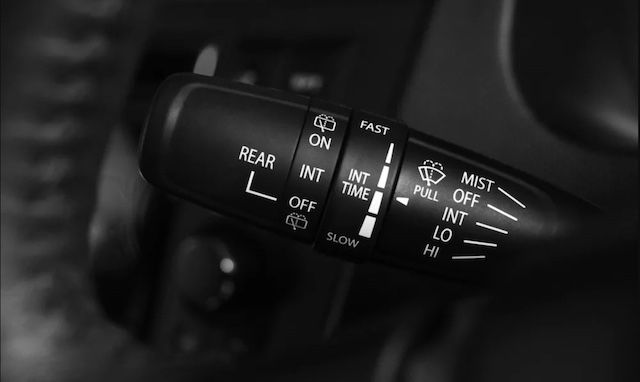
The most obvious thing is to check the windshield wiper control switch. The switch is most commonly found next to the steering wheel. It's the part you use to turn the wipers on or off. You also use these controls to change the speed of your wipers.
Make sure the control switch is in the "off" position. Is it in the "off" position and the wipers are still operating? It's possible that the switch failed. The wiper control switch is the most used part in the Nissan wiper assembly. It has some complex circuitry inside. So there may be an electrical issue with your wiper control switch that causes it to fail internally. When this happens, you can no longer control the wiper motor with this switch.
A good way to see if there's something wrong with the wiper control switch is to change the wipers' speed with it. This checks to see if your wipers change speeds in accordance with the switch. If your wipers don't change their speed, then the switch is somehow disconnected from the wiper motor.
2. Check The Park Switch Inside The Wiper Motor
Inside the wiper motor, there's a park switch. Its role is to ensure that the wipers stop at the bottom of the windshield. The switch maintains power to the wiper motor until the wipers are at the bottom of the windshield. The switch will cut power once the wipers get to the bottom.
When the park switch goes bad, it can prevent the wiper motor from being notified that the wipers have been turned off. This switch is responsible for cutting power to your wiper motor. So if it's broken, there's nothing to turn off your wiper motor. Your wipers will keep going, and going, and going.
In some cases, a broken park switch means your wiper motor keeps drawing an electric current when your vehicle is turned off. This can cause your battery to die when your vehicle is turned off.
If you find that the park switch has gone bad, you may need to replace the entire wiper motor. In many vehicles, the park switch is built into the motor.
3. Check The Wiring And Connectors
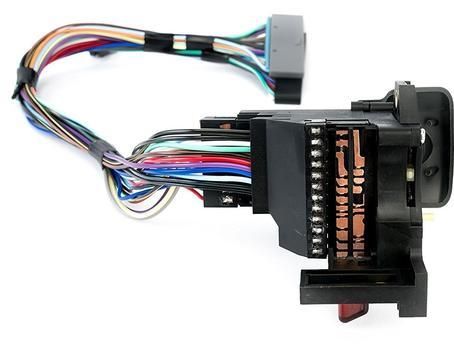
The reason your Nissan wipers won't turn off may be as simple as bad wiring or connectors. It's possible that there's a loose wire or bad connection that's causing your wipers to continue to run.
With your Nissan wipers not working correctly, you may want to rule out the wiring and connectors by trying these things:
- Physically inspect the wiring and connectors. Look for loose connections or damage to the wiring insulation.
- Have a mechanic with the right diagnostics tool check the wiring and connectors for you.
4. Check The Relay
Your Nissan's windshield wiper system has a relay. A relay is a small electric switch mechanism that turns the wiper motor on and off. You can usually find it under the hood, in the fusebox, near other relays. Sometimes a wiper relay can get stuck in the "on" position. This means the relay has failed, and is causing the wipers to continue working even when turned off. To check the relay, you can simply pull it out. If the wipers stop, reinsert the relay. If the wipers start again, and the wiper switch seemed ok, the relay is most likely the problem. Replacing it will do the trick.
Need OEM Replacement Parts?
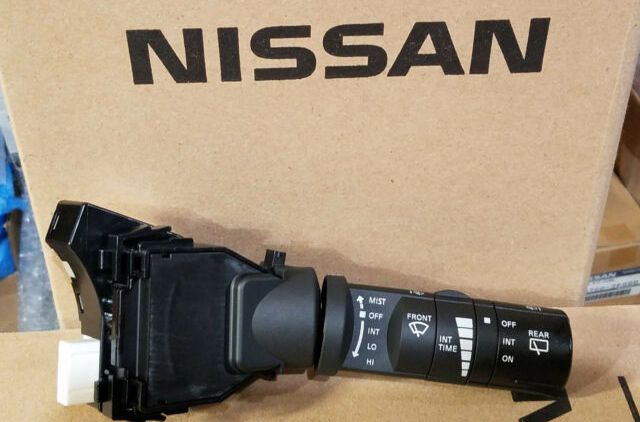
Often times, all you need to do to fix this issue is to replace the faulty part(s). You can get genuine OEM windshield wiper parts from us at wholesale prices. Please contact us if you need help finding the right replacement wiper part(s) for your Nissan model.